Home Docs Changelog Download Pricing Customer Portal Contact

How to Upgrade SQLMessenger to the Latest Version

1. Overview

SQLMessenger automatically checks for updates during startup and notifies you when upgrades are available. You may also manually download upgrade packages from www.sqlmessenger.com.

2. Automatic Updates

SQLMessenger automatically checks for new versions. If an update is available, the system will prompt you to upgrade.

System prompts to automatically upgrade SQLMessenger

Click Update Now to allow SQLMessenger to download the update package from www.sqlmessenger.com and complete the installation.

3. Manual Update

If the PC with SQLMessenger installed has no internet access, download the update package from another computer through the Customer Portal on www.sqlmessenger.com.

Step 1: Go to https://www.sqlmessenger.com/custlogin.html and enter your SQLMessenger Serial Number and UID.
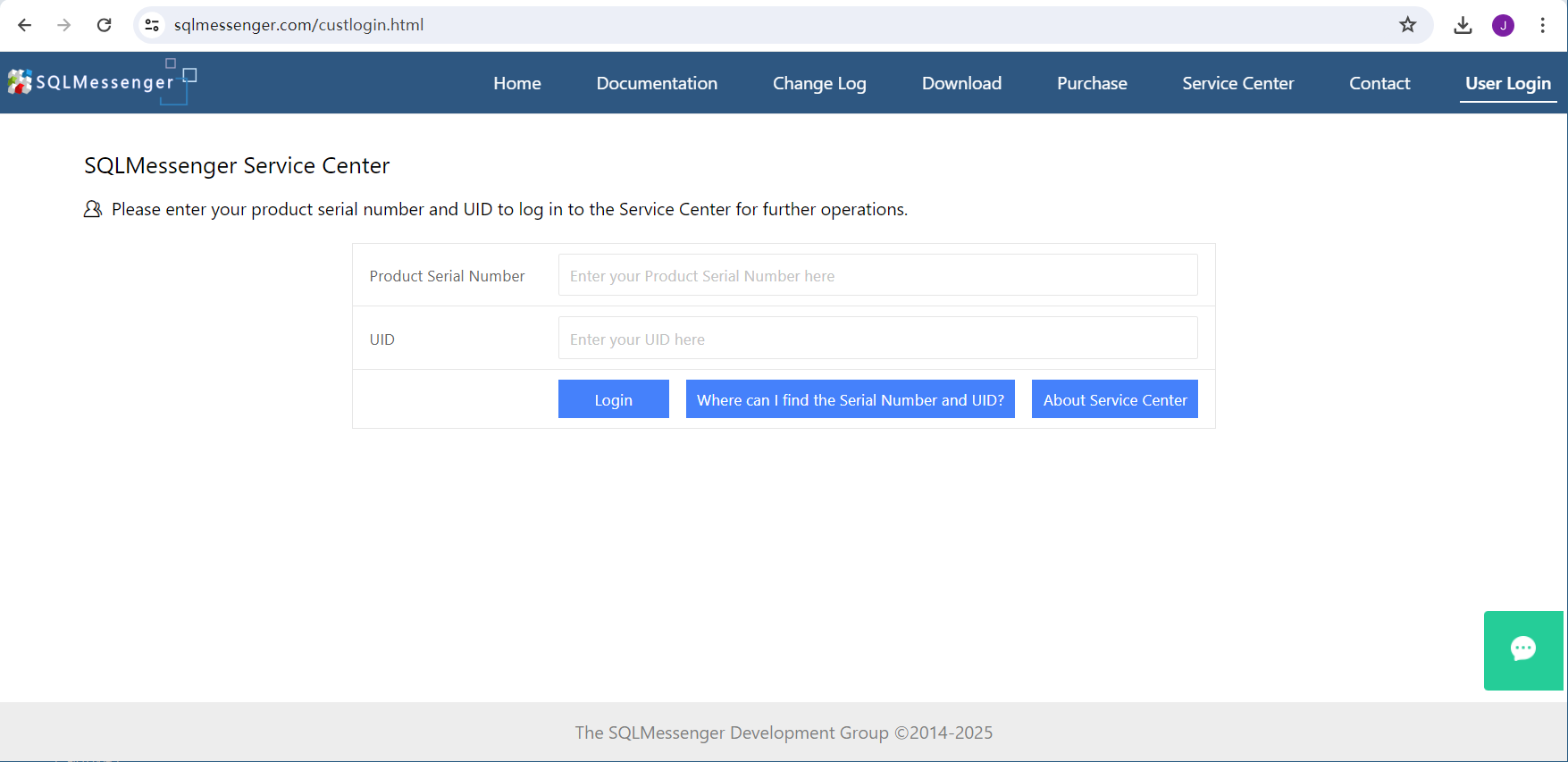
The SQLMessenger Customer Portal

Tip: On your first login to the Customer Portal, the system will require you to set up a login password.


Related Document: Where Can I Find the Serial NumCustomer Portalber and UID


Step 2: Click Download Updates on the left menu to view the update list and download the required files.
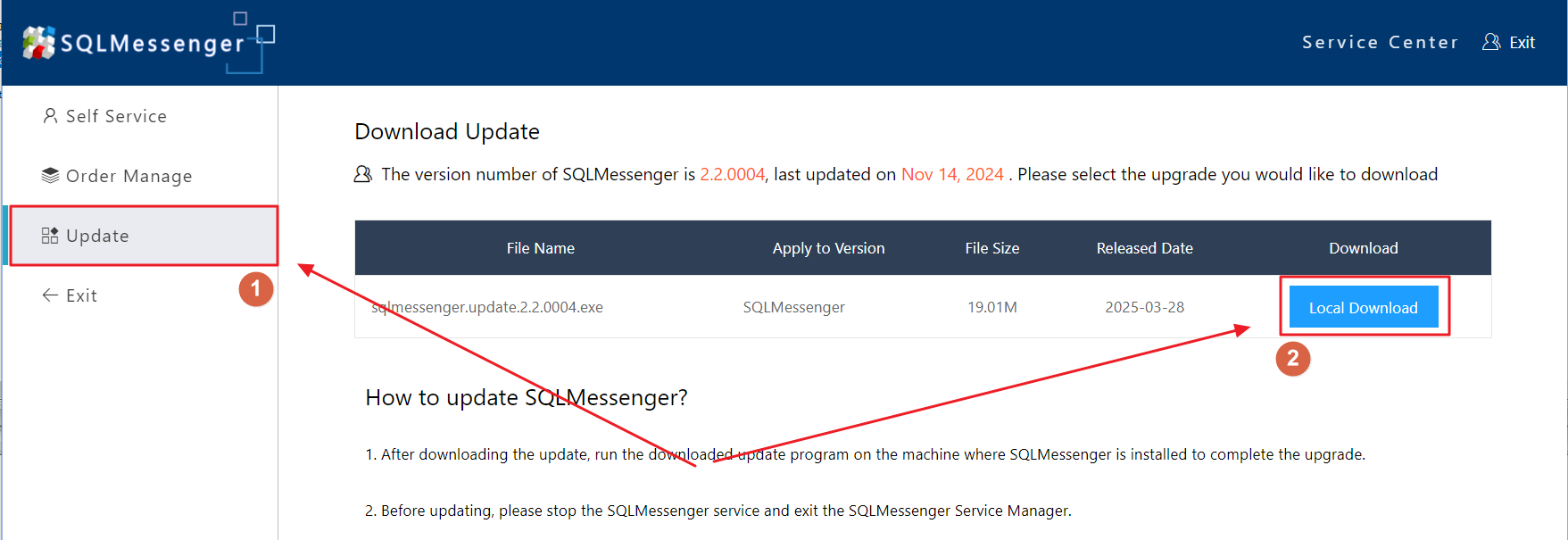
The Download Updates panel


Step 3: Transfer the downloaded update file to your PC with SQLMessenger installed, then run update.exe found in the bin folder under the SQLMessenger installation directory.
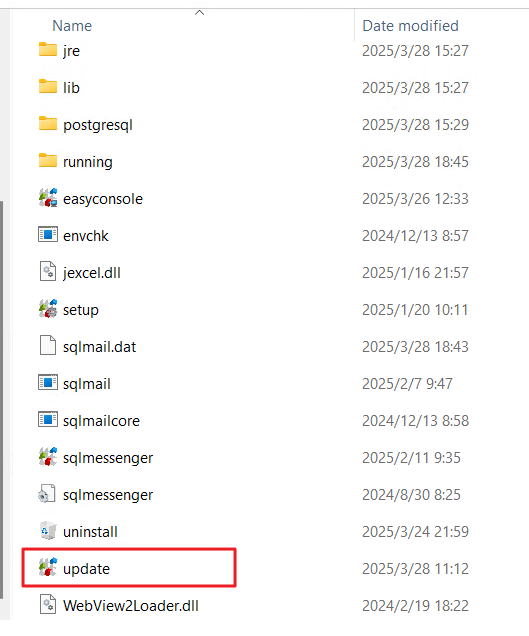

If update.exe is missing (e.g., in version 2.2.0001), click here to download it. After extraction, copy "update.exe" to SQLMessenger\bin and run it.


Step 4: In the Update dialog box, select the Local file option, choose your downloaded update file and click OK. The tool will verify package integrity before starting the SQLMessenger upgrade.
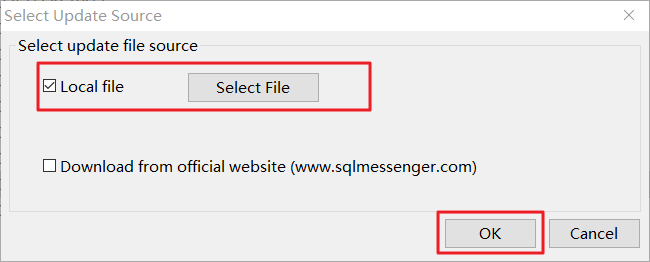
select the Local File option

4. Technical Support

If you encounter any issues while using the backup and restore features, please contact us for technical support.

Last updated on June 05, 2026


Cookie Settings

We use cookies to enhance your browsing experience, serve personalized content, and analyze our traffic. By clicking "Accept All", you consent to our use of cookies in accordance with our Cookie Policy.

You can change your preferences at any time by clicking on "Cookie Settings" in the website footer.

Cookie Preferences

Manage your cookie preferences. You can enable or disable different types of cookies below. Necessary cookies cannot be disabled as they are required for the website to function properly.

Necessary Cookies

Always active

These cookies are essential for the website to function and cannot be switched off. They are usually only set in response to actions made by you such as setting your privacy preferences, logging in or filling in forms.

Preferences Cookies

Makes the site easier to use

These cookies allow the website to remember choices you make and provide enhanced, more personal features.

Analytics Cookies

Helps us improve our website

These cookies help us understand how visitors interact with our website, which helps us improve our products and services.

Marketing Cookies

Used to track visitors across websites

These cookies are used to track visitors across websites. The intention is to display ads that are relevant and engaging.

Send us a message